
Give investors a professional, organized experience from the start. SecureRoomz provides the structure, guidance, and tools to help you tell your company's story, organize important documents, and prepare for investor conversations without starting from scratch.
Watch a complete walkthrough of creating a Virtual Data Room using SecureRoomz. In less then two minutes, you'll see how to build your room, present your company, organize documents, assign responsibilities, and prepare for investor review.
SecureRoomz provides the structure and guidance to help you build a professional virtual data room in just a few minutes. Follow the steps below to tell your story, organize your documents, assign responsibilities, and prepare for investor review.
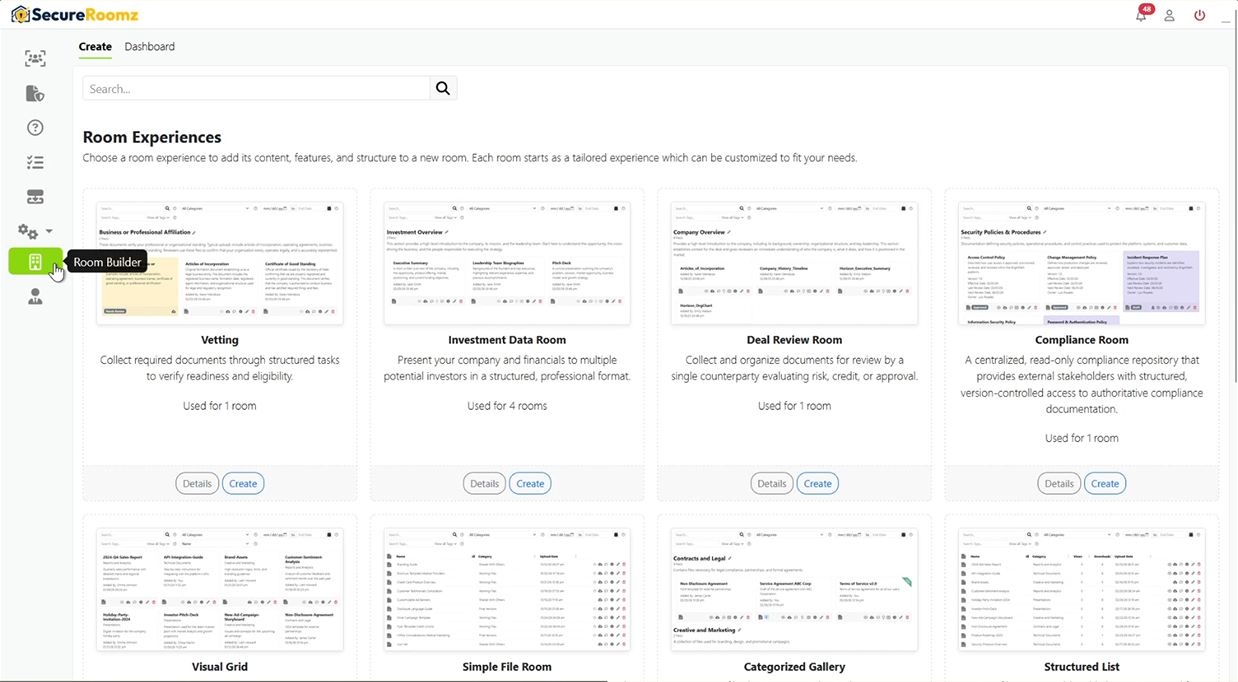
Begin by opening Room Builder and selecting the Virtual Data Room experience. The template provides a ready-made structure designed specifically for startups and companies seeking investment.
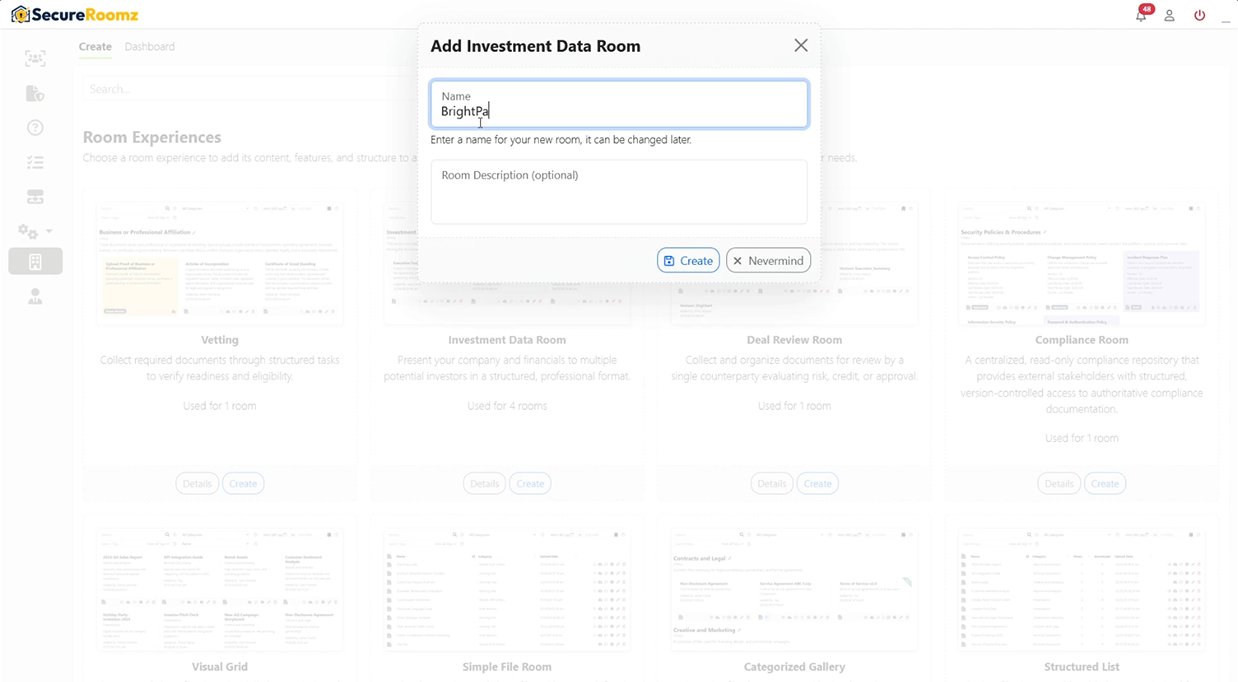
Enter a name for your room and click Create. Your room is instantly generated with suggested content, categories, responsibilities, and tasks to help you get started.
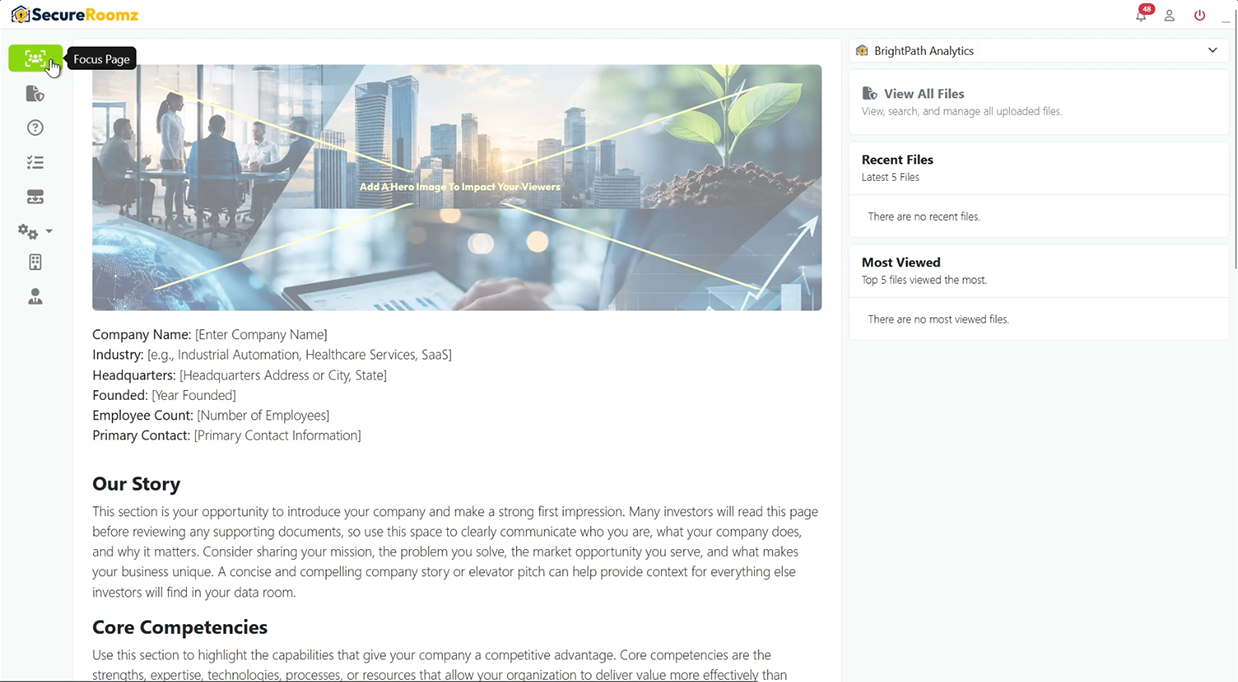
The Focus Page is where you introduce your company, tell your story, and create a strong first impression. Built-in guidance helps you customize the page and present your business clearly to investors.
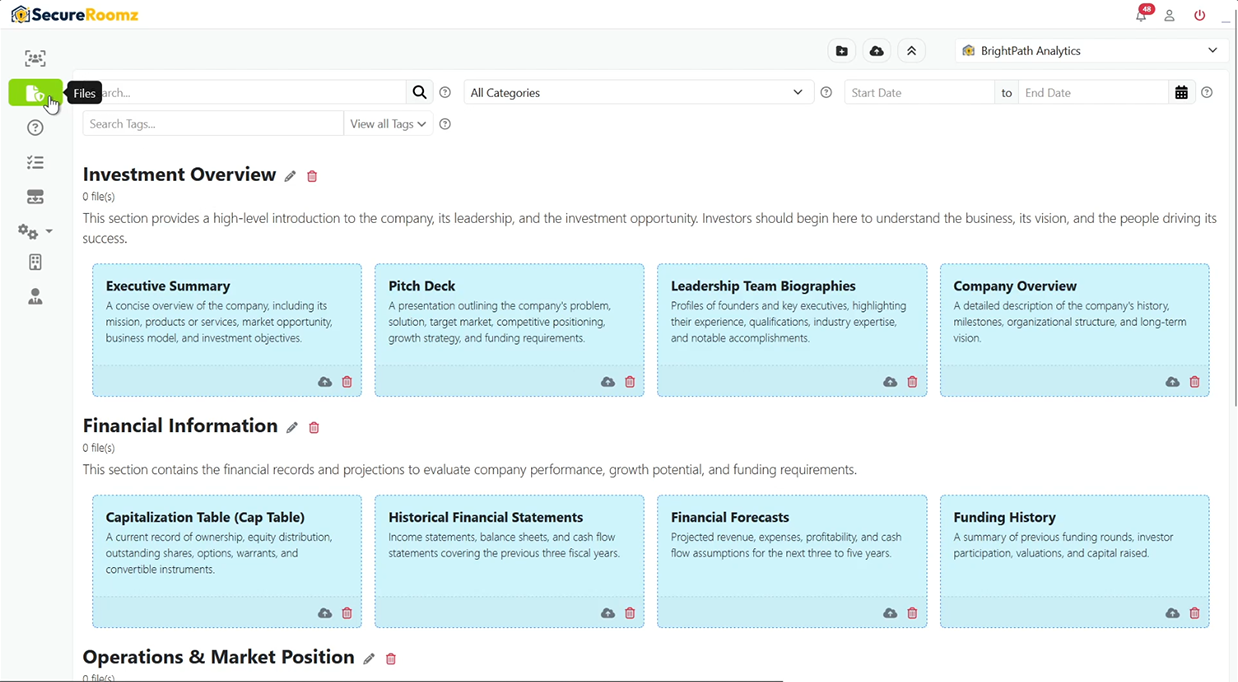
Navigate to the Files page to see suggested documents commonly requested during investor reviews. These recommendations help you understand what information investors typically expect to see.
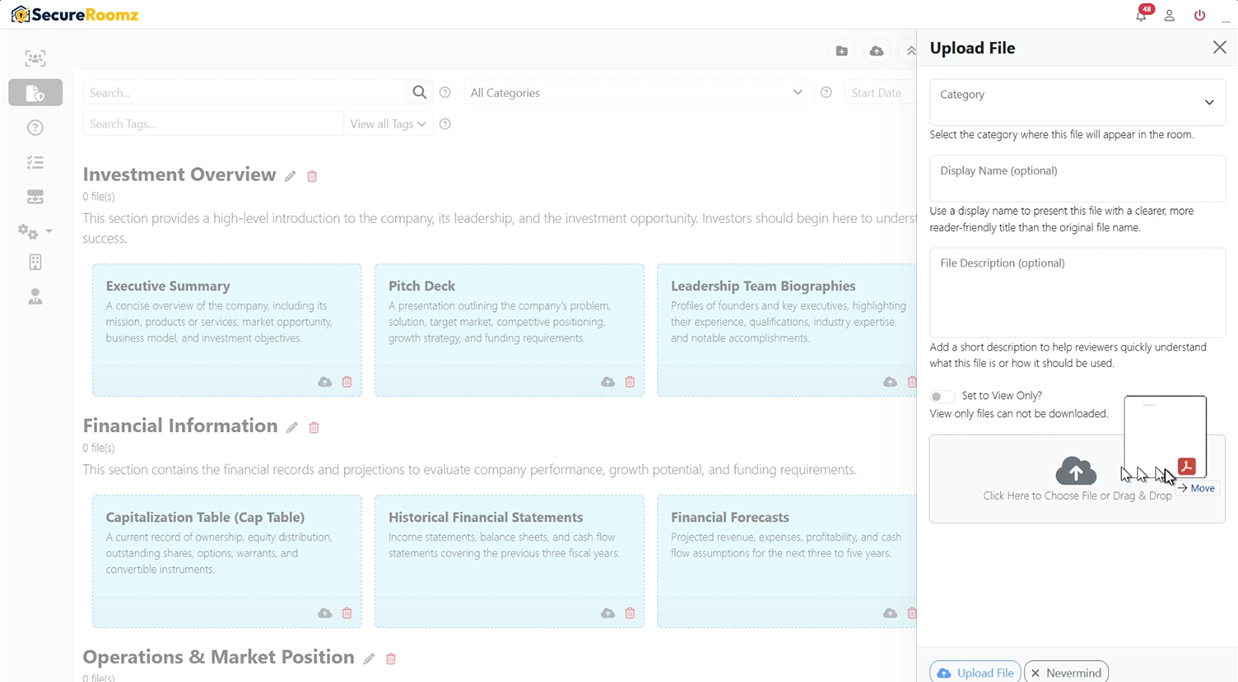
Drag and drop files to upload them quickly or provide documents that match the suggested file recommendations. Organize your information in the way that best represents your company.
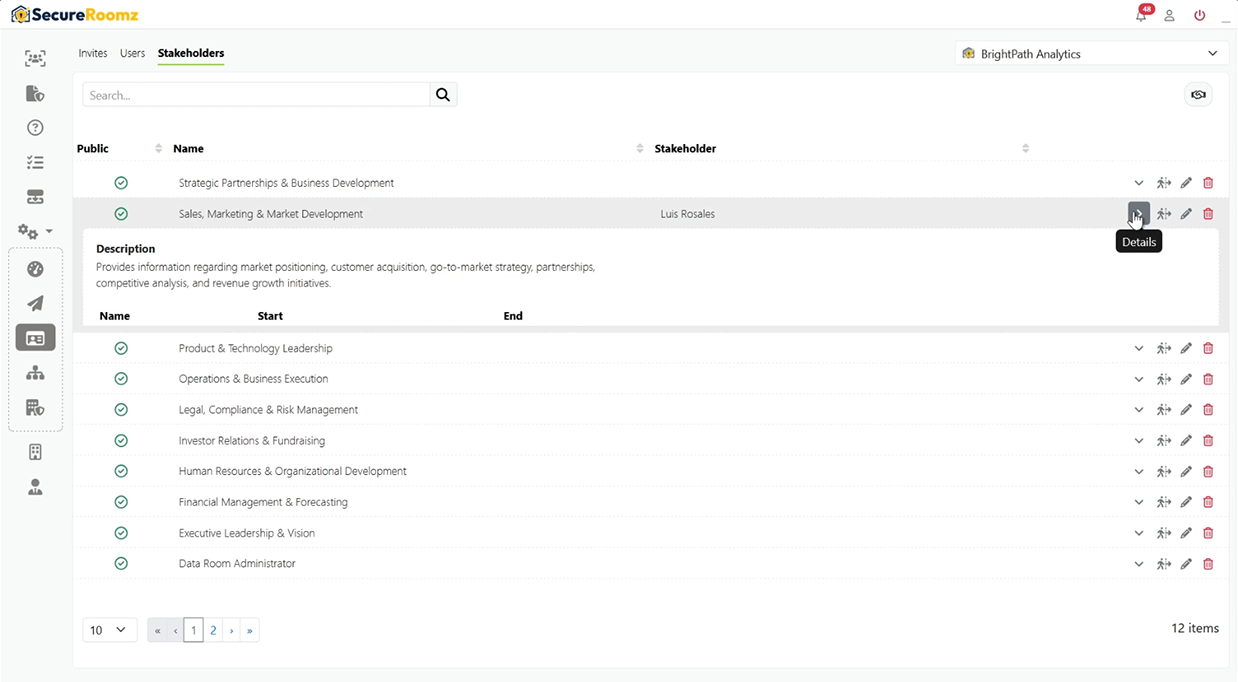
Assign responsibilities to stakeholders so investors can easily identify who oversees key areas of the business. Suggested responsibilities are included to help you get started.
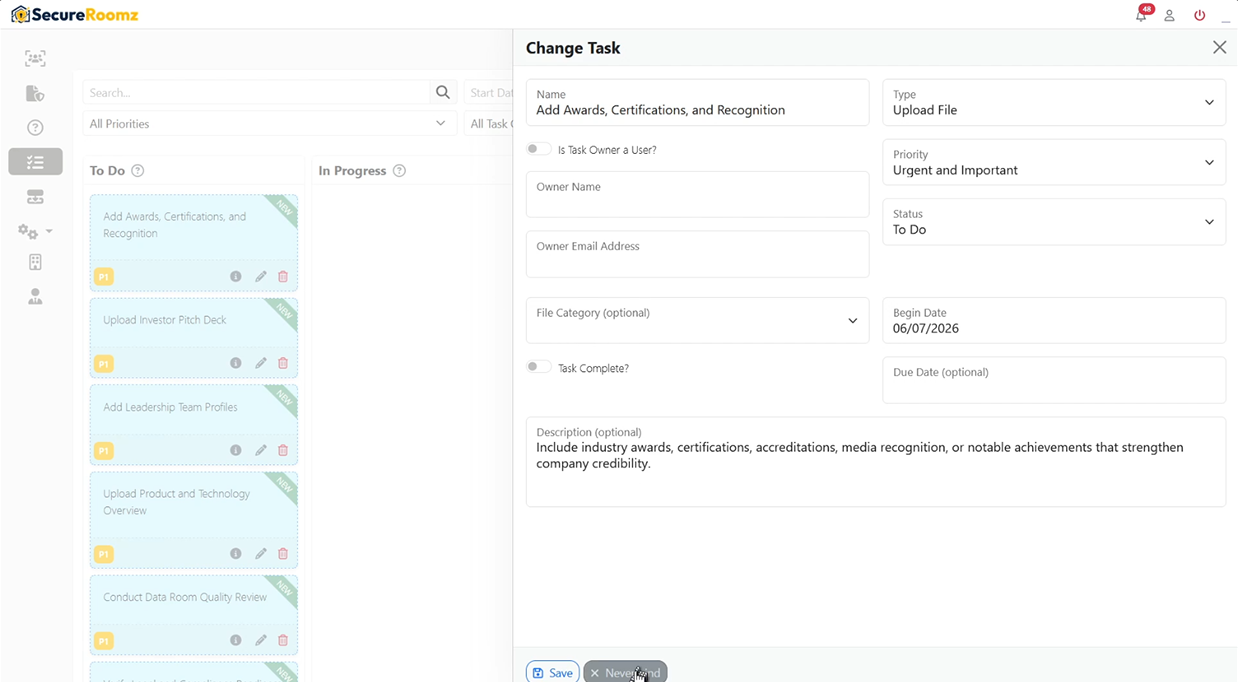
Use the provided tasks to guide room preparation and keep your team aligned. Tasks help ensure important information is gathered, reviewed, and ready for investor access.
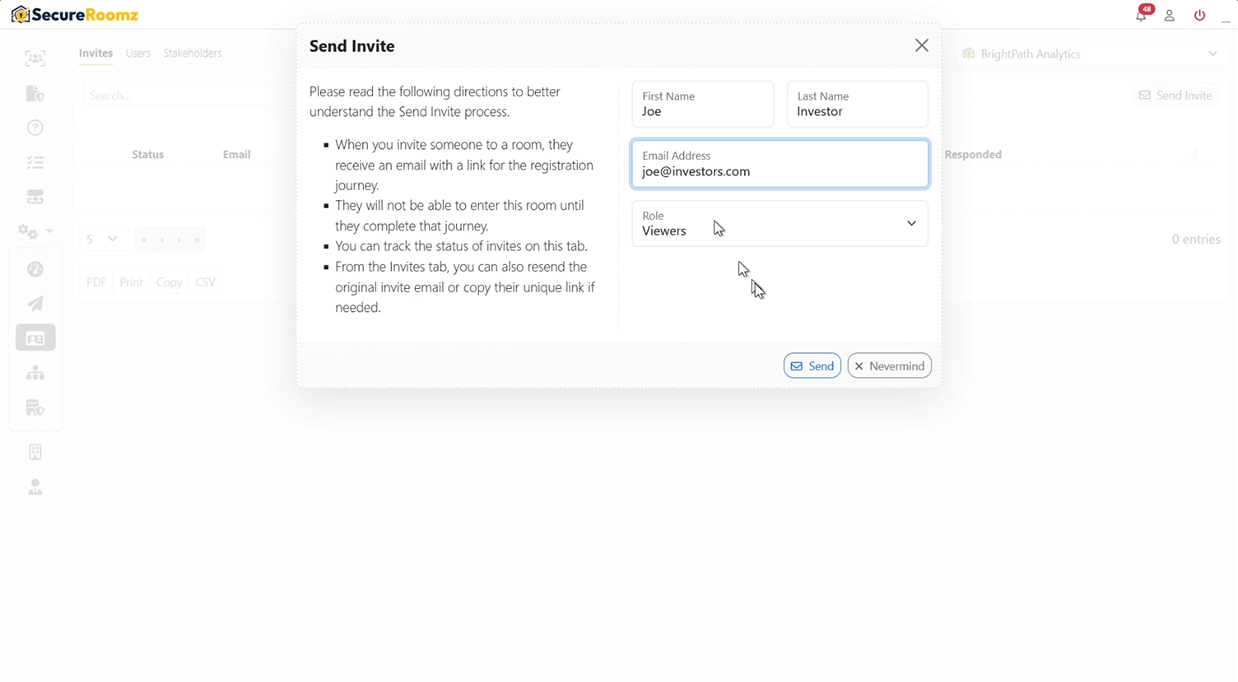
Once your room is ready, invite investors to review your company information, documents, and supporting materials through a secure and organized experience.
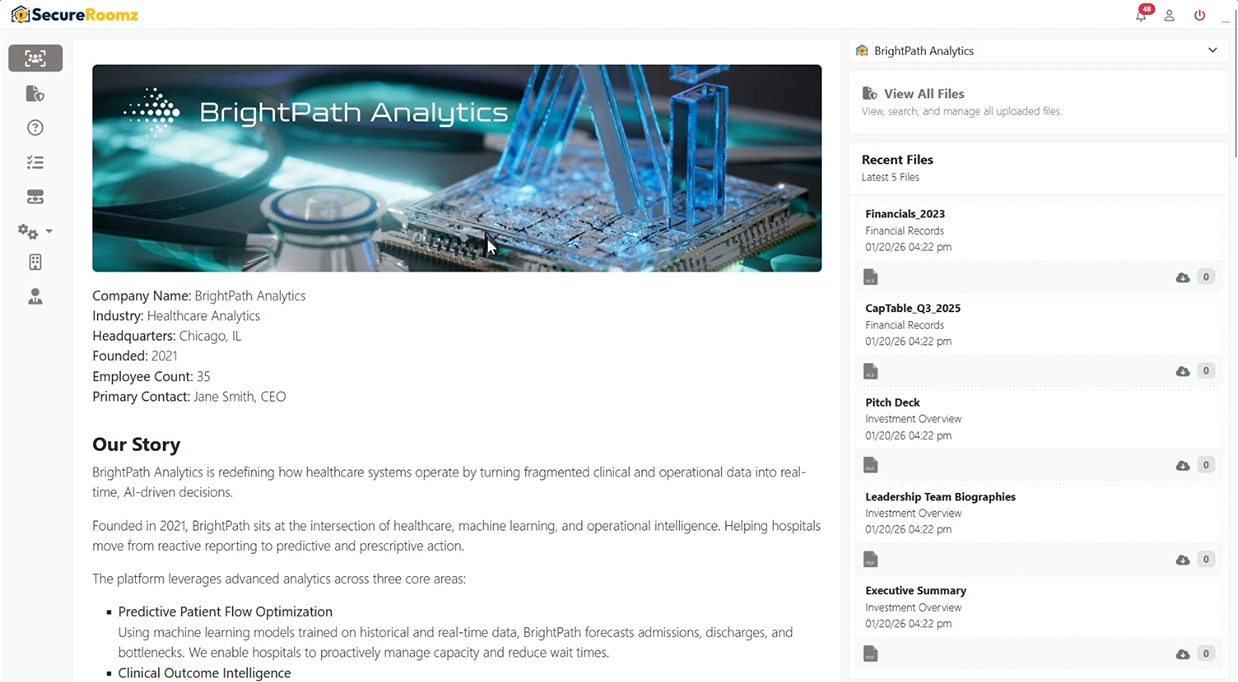
Investors gain access to a professional data room that brings together your story, documents, leadership team, and business information in one secure location.
Virtual data rooms are just one way to use SecureRoomz. Discover how businesses, consultants, educators, and organizations use secure rooms to share information and guide visitors through important content.
Explore Use Cases